
The Top Rated Badge shows visitors to your website: your company is one of the best-rated providers. The “Top Rated Badges” page tells you whether you have it yet and lets you download the badge as an image file.
At a glance
Where: in the dashboard under Marketing > Top Rated Badges.
Subscription: The page has no subscription lock. The badge depends on your reviews.
Unlocking: automatic, as soon as your company has at least 10 reviews in total (Feedbax and integrated portals) and reaches an overall rating of 4.5 stars or higher.
Format: an image file in five languages. There is no embed code.
Score: The badge does not change your Feedbax score.
How it works
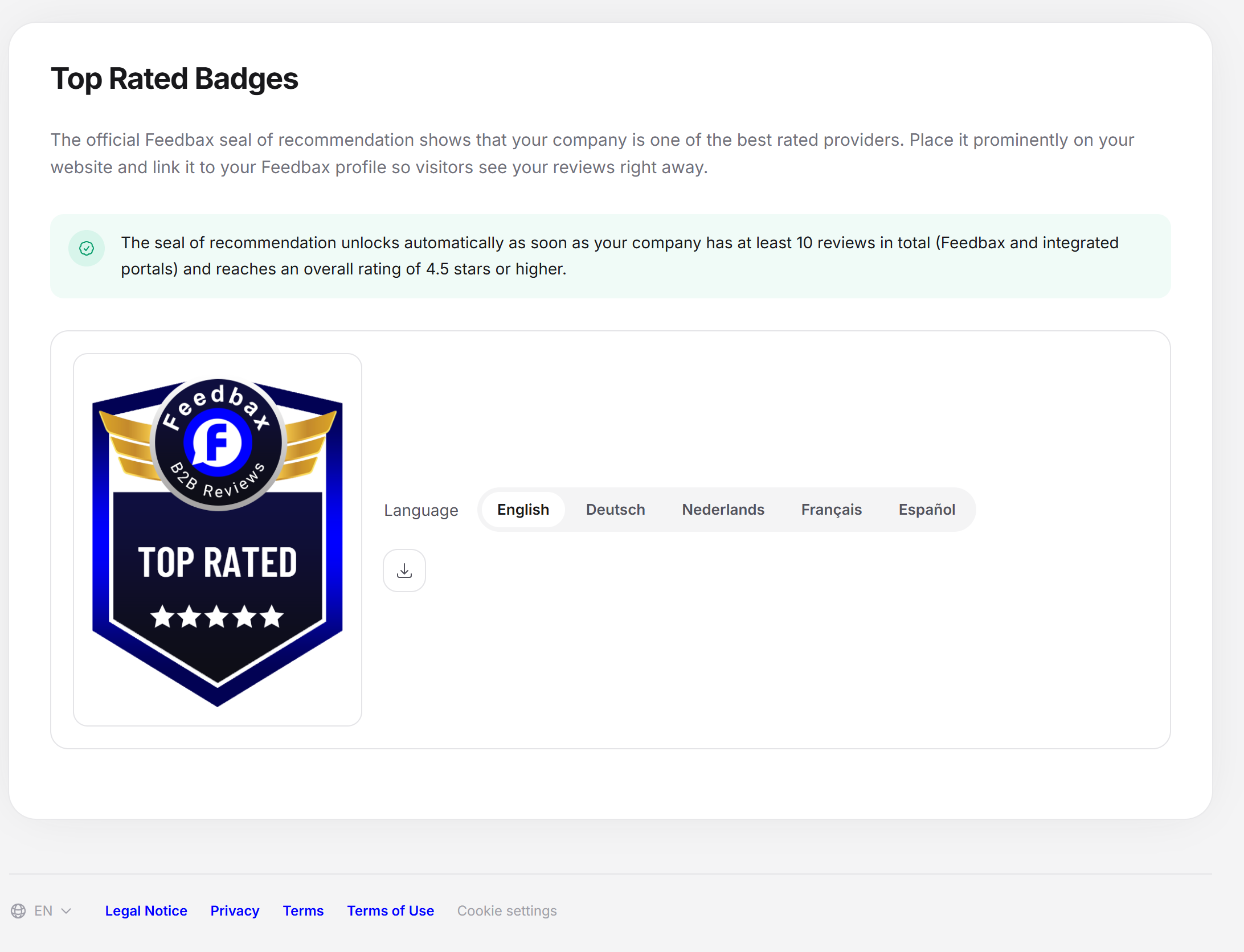
There is a short introduction at the top. It explains that the official Top Rated Badge from Feedbax shows that your company is one of the best-rated providers. It also advises placing the badge prominently on your website and linking it to your Feedbax profile, so visitors see your reviews right away.
Below it, the page shows one of two states.
State 1: badge not unlocked
As long as you do not meet the condition, a note appears with a lock and the heading “Badge not unlocked”. Below it is the rule: the Top Rated Badge is unlocked automatically as soon as your company has at least 10 reviews in total (Feedbax and integrated portals) and reaches an overall rating of 4.5 stars or higher. Neither the badge image nor the download is visible in this state.
What counts is your overall rating, that is, the approved Feedbax reviews together with the reviews from the connected platforms. Which platforms count depends on the subscription. Hidden reviews do not count. The table is in the article Review widgets.
State 2: badge unlocked
Once you meet the condition, a green note appears with the unlocking rule, and below it a card with the badge:
Badge image: The badge sits on a light frame, because it is drawn for light pages.
Language: A row of buttons with English, Deutsch, Nederlands, Français or Español. The preset is the language of your dashboard interface. When you switch, the badge image of the new language fades in.
Download badge: downloads the badge image of the chosen language as a PNG file. The file name contains the language.
The download is noted at Feedbax. You do not have to do anything else.
Using the badge on your website
In the dashboard, open Marketing > Top Rated Badges.
Choose the language that fits your website.
Click “Download badge”.
Place the file where you want it on your website.
Link the image to your Feedbax profile. That way visitors see your reviews right away.
For numbers that update themselves, use a widget instead, see Review widgets.
Effect on the Feedbax score
The badge gives no score points, and the download does not count for the widget bonus. What matters are the reviews behind it: they feed into the Reputation score, see What is the Feedbax score?.
Frequently asked questions
Why is my badge not unlocked?
Either you have fewer than 10 reviews or your overall rating is below 4.5 stars. Review requests get you both faster, see Request reviews.
When is the badge unlocked?
Automatically, as soon as both conditions are met. You do not have to apply for anything.
Do I lose the badge if my rating falls below 4.5?
The page checks the condition on every visit. If your overall rating is below 4.5 stars or you have fewer than 10 reviews, it shows “Badge not unlocked” again. Take the badge off your website then.
Is there an embed code?
No. The Top Rated Badge is available as an image file. The review widgets, the Google stars and the top provider badge offer a code with a script.
In which languages is the badge available?
English, Deutsch, Nederlands, Français and Español.
What is the difference from the Verification Badge?
The Top Rated Badge depends on your reviews. The Verification Badge depends on Feedbax having checked your company profile.