

This requires a registered company profile on Feedbax. If you do not have one yet, start here: How do I register my company on Feedbax?
Assignment of services
To be listed in our directories, add services and areas of expertise to your company profile. Log in to the dashboard and go to the following page:
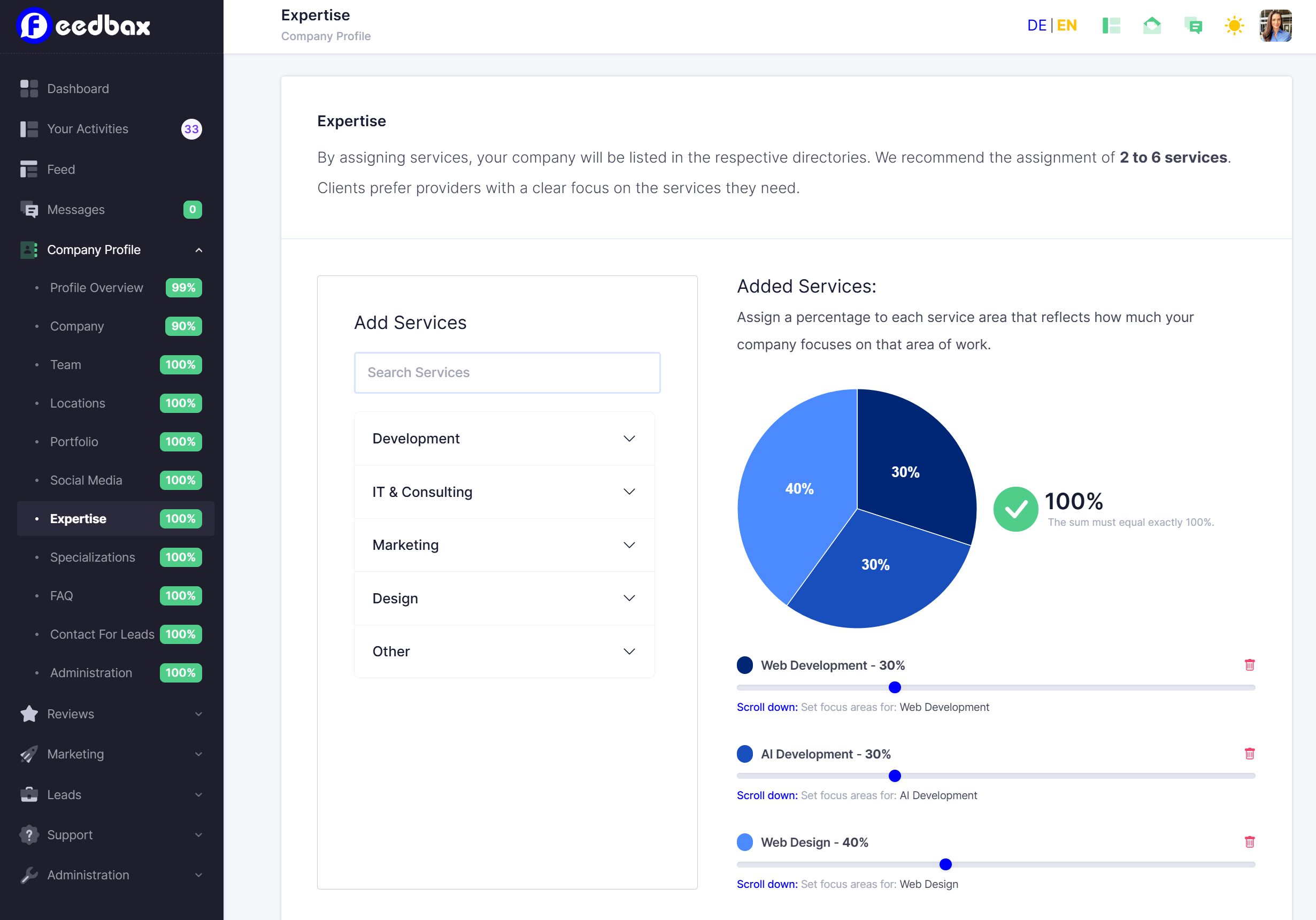
Assigning services will list your business in the respective directories. We recommend assigning 2 to 6 services. Clients prefer providers with a clear focus on the services they need.
Assign a percentage to each service area that reflects how much your business focuses on that area of work.
Assigning the service “web development” means that your business will be listed in the directory “web development”:
https://feedbax.ai/web-development
Assigning areas of focus
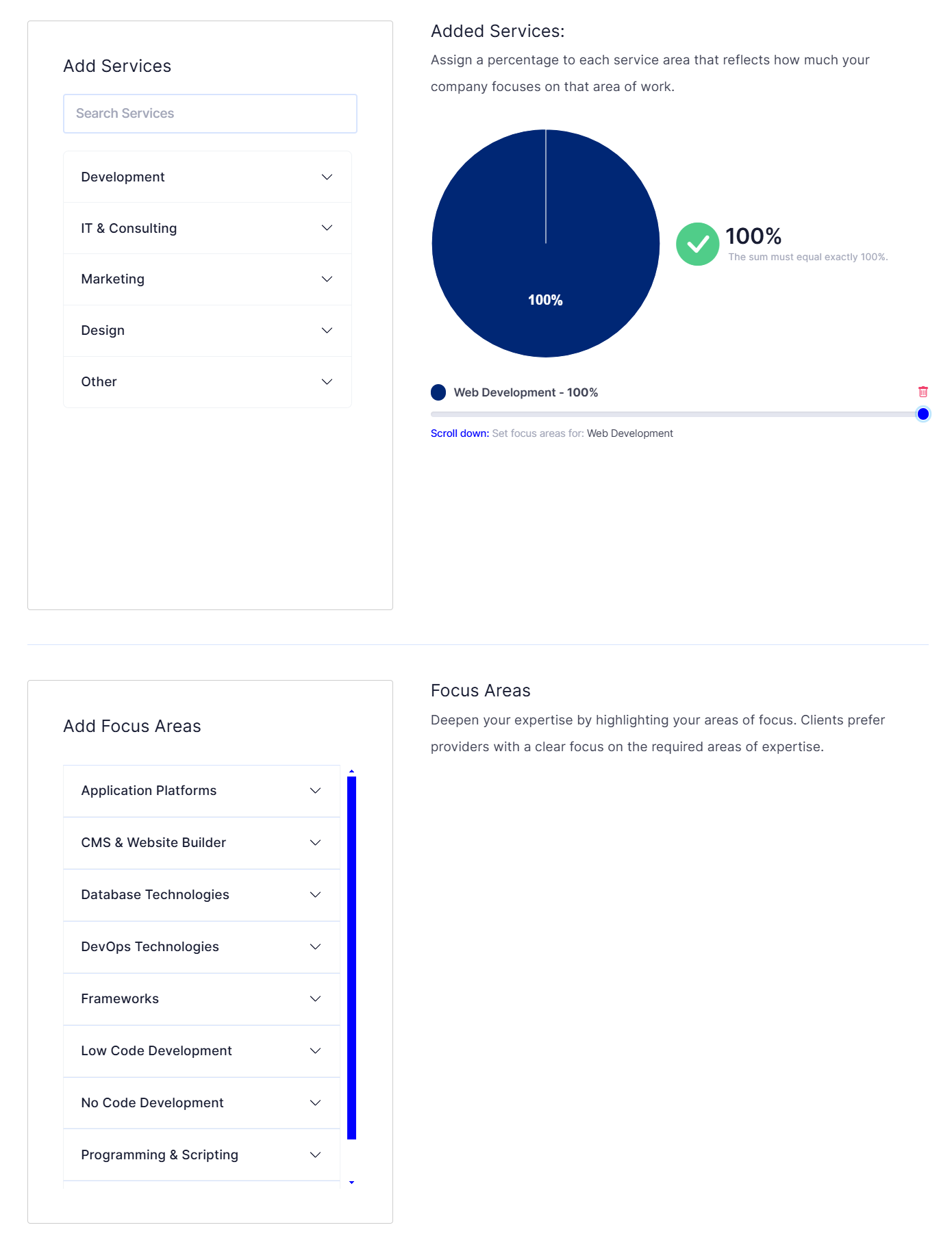
Some services can be further specified by assigning them to the appropriate areas of focus. Assigning the service “web development” unlocks the following areas of focus:
In the “CMS & Website Builder” section, you can specify which CMS systems you specialize in.
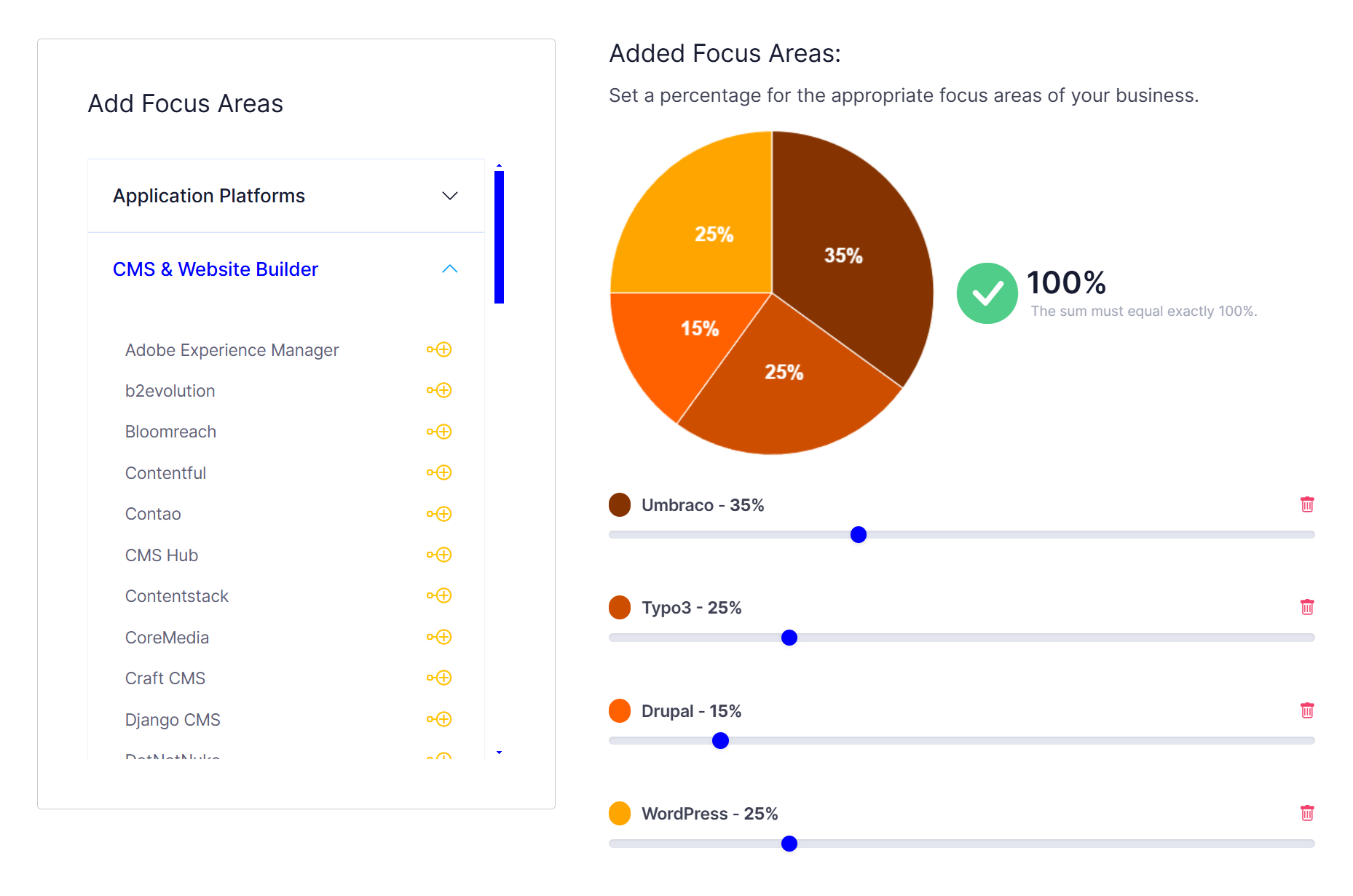
Specializations that have been chosen by many providers will also appear as separate directories. For example, providers who have added WordPress as their specialty will be listed in the directory WordPress.
Please note that there is no separate directory for each focus area.