

The Profile > Company details page holds the master data of your company: name, slogan, key facts, description, logo, header image and main video. This information is the core of your public provider profile. The more complete it is, the easier you are to find.
The page is fully usable in every subscription, even with Starter. All three tabs save with a single button.
At a glance
You find the page in the provider dashboard under Profile > Company details. The address ends in
?section=profile-company.The page has three tabs: Key facts, Company description and Logo, images & video.
Only the Company name is required. All other fields are optional, but they count toward profile progress.
All tabs share one Save. What you typed in one tab is kept while another tab is open.
After you save, Feedbax automatically translates the slogan and description into the other profile languages.
The page counts toward profile progress with ten fields at 10 percent each.
How it works
At the top is the note “These details are the core of your public provider profile. The more complete they are, the easier you are to find.” Below it you choose the tab. When you open the page, it briefly loads with placeholders, then the fields appear.
When you click Save, Feedbax checks all three tabs together. If a field reports an error, a red dot appears on the tab. If the error is in a tab that isn’t open right now, the page jumps to the first tab with an error. “Please check the highlighted fields.” then appears at the top. As long as an error is open, nothing is saved.
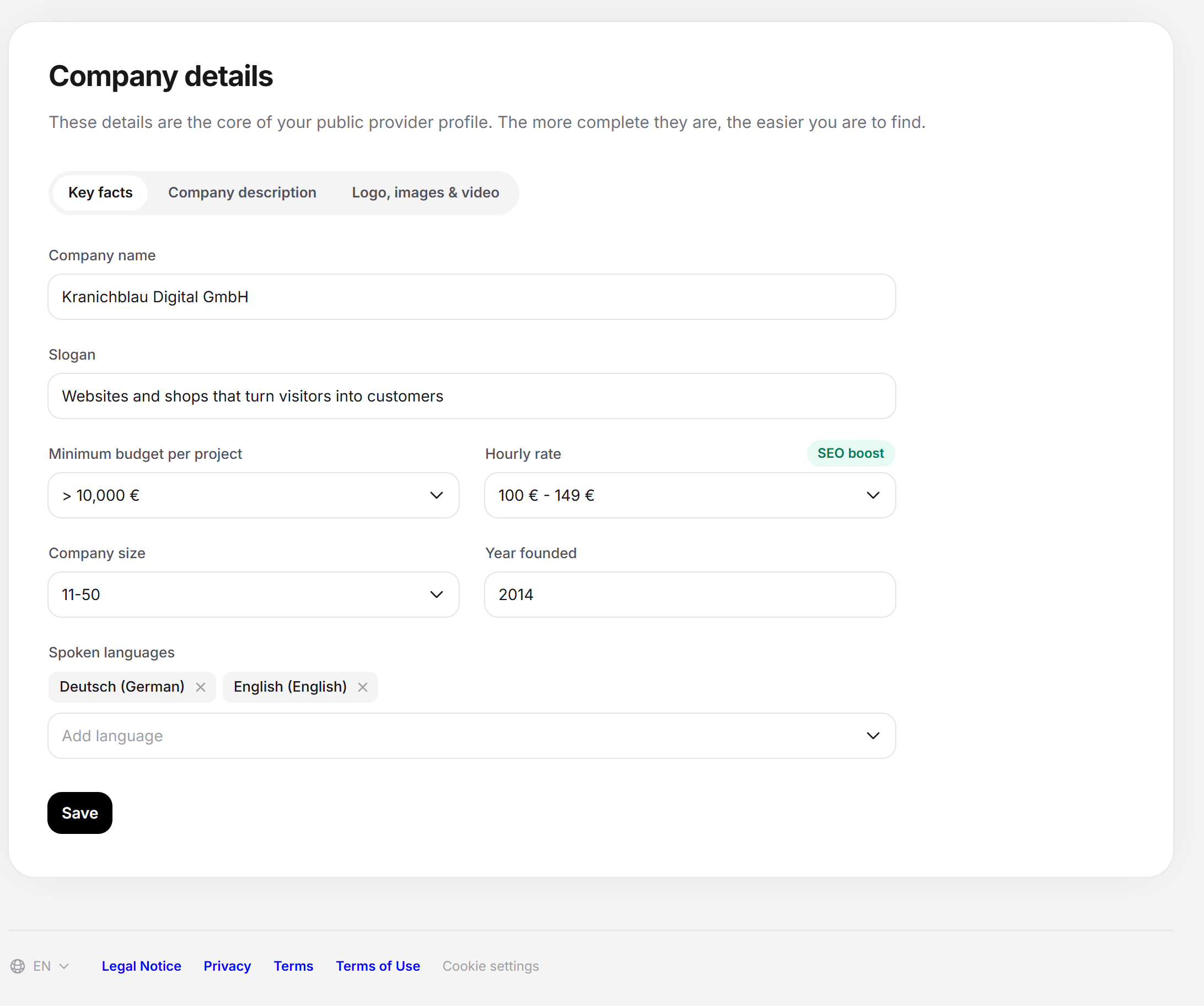
The “Key facts” tab
| Field | What you enter | Notes |
|---|---|---|
| Company name | The name you appear under on Feedbax. Example in the field: “e.g. Example Ltd”. | Required. If the field is empty, it reports “Please fill in this field.” |
| Slogan | One sentence that describes your company. | At most 75 characters, the field accepts no more. The slogan is translated. |
| Minimum budget per project | From which project size you work. | Choice from fixed tiers. |
| Hourly rate | The range your hourly rate falls in. | Choice from fixed tiers. Next to the field is the green note SEO boost. |
| Company size | How many employees your company has. | Choice from fixed tiers. |
| Year founded | A year, for example 2020. | Number field only. |
| Spoken languages | All languages in which you can run projects. | Multiple selection. With Add language you pick a language from the list. With “Remove {language}” you take it out again. |
The selection fields offer fixed tiers that you can’t change. If you leave a selection field open, the field stays without a value.
The green note SEO boost is explained in its tooltip: Through technical measures by Feedbax, your company profile gets an SEO boost when you fill in this field. The tooltip also names the two searches this feeds into: “{name} reviews” and “{name} ratings”, with the name from the Company name field.
The “Company description” tab
Here is a text editor with the placeholder “Describe what sets your company apart”. The toolbar offers headings, bold, italic, bullet list, numbered list and links. You can’t insert images in this editor.
Below the editor is the button Improve with AI. It makes a suggestion from your text without saving anything (see below).
The description is a requirement for the automatic approval of your profile. A description in a single language is enough. What else counts for approval is explained in What your profile needs for approval.
The “Logo, images & video” tab
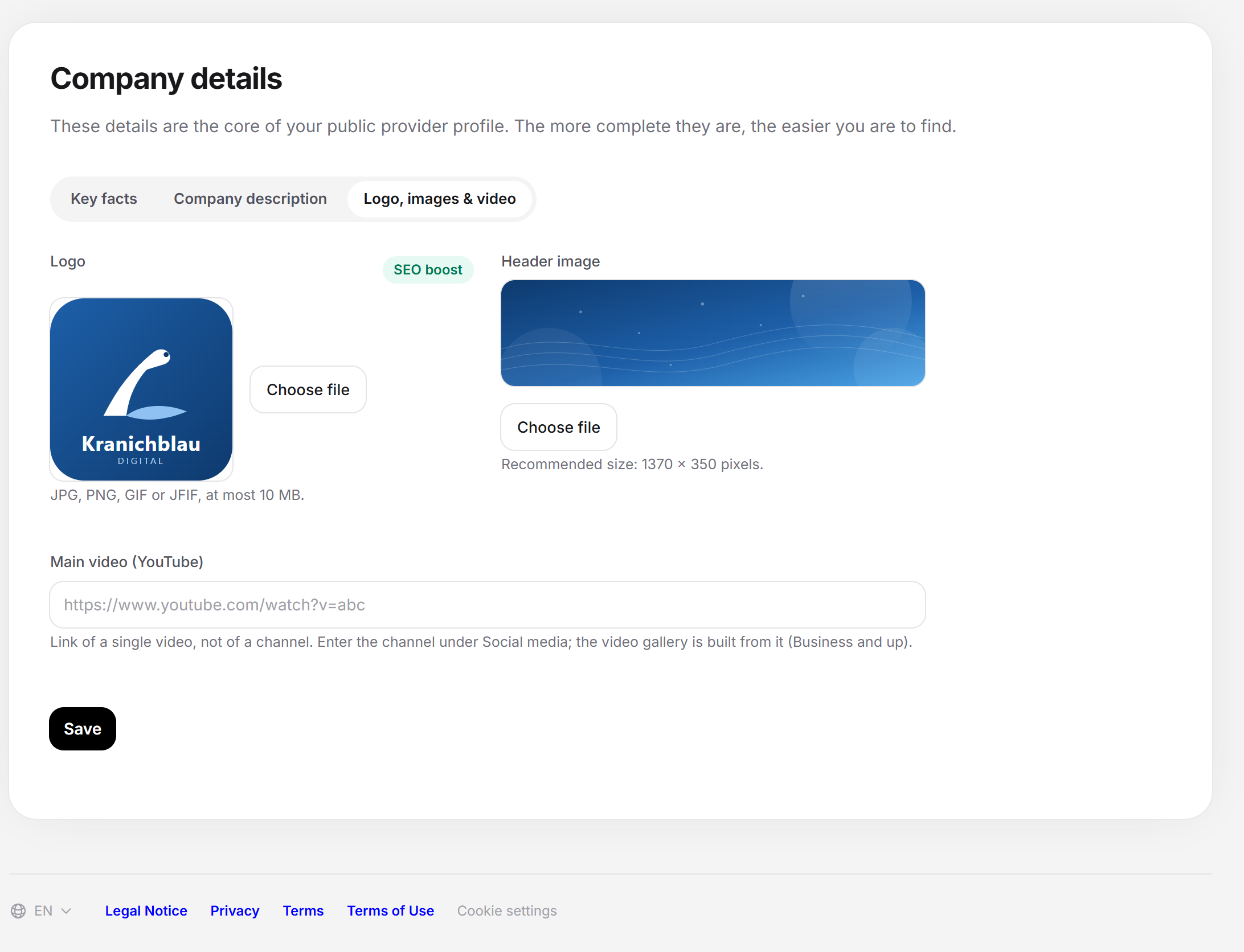
Logo. Next to the field is the SEO boost note as well. The logo is a requirement for the automatic approval of your profile.
Header image. The wide image at the top of your profile. Below the field it says “Recommended size: 1370 x 350 pixels.” Crop the image to this format yourself beforehand, then you see exactly what stays visible.
Main video (YouTube). This is where the link of a single video goes, not that of a channel. You enter the channel under Social media. The video gallery (from Business) is built from the channel there. The field expects a valid web address, otherwise it reports “Please enter a valid web address.”
For the logo and header image: JPG, PNG, GIF or JFIF, at most 10 MB. Below the logo it says “JPG, PNG, GIF or JFIF, at most 10 MB.” With Choose file you pick the image. After that, the field shows the file name and the button Remove, with which you undo the selection. Without a new selection, the saved image stays unchanged. The image is only saved with Save.
Saving the company details
Open Profile > Company details.
In the Key facts tab, fill in at least the name. Add slogan, minimum budget, hourly rate, company size, year founded and languages.
Switch to the Company description tab and write or improve the text.
Switch to the Logo, images & video tab, choose the logo and header image and enter the main video.
Click Save. The button briefly shows “Saving …”. After that, “Saved.” appears.
Improving the description with AI
Write a text first. If the field is empty, Improve with AI stays locked, and the tooltip says “First write a text for the AI to improve.”
Click Improve with AI. A box “AI suggestion” opens below the editor.
Adjust the suggestion in the box if needed. It has the same editor as the field.
Click Apply to put the suggestion into the field. With Discard the box closes, and your text stays as it was.
Then click Save. Only now is the text saved.
The AI writes in the language set in the dashboard and calls your company by name. If the suggestion doesn’t work, the note “The suggestion could not be created just now. Please try again in a moment.” appears. The button is missing entirely if the feature isn’t available right now or if a Feedbax administrator has opened your account to help you.
Languages and translation
Slogan and description are texts with several language versions. You write them in one language. Feedbax detects which language the text is written in, saves it that way and translates it in the background into the other four profile languages (German, English, French, Dutch, Spanish). The translation can take a moment.
Each time you save, Feedbax translates the text again. A translation that you changed yourself is overwritten in the process.
The page always shows you the version in the language of your dashboard.
If you empty a text field and save, only the version in the dashboard language is emptied. The other language versions stay in place.
Messages and special cases
| Message | Meaning and solution |
|---|---|
| Please fill in this field. | The company name is missing. Enter it in the Key facts tab. |
| Please enter a valid web address. | The main video is not a valid address. Check the link. |
| Only JPG, JPEG, PNG, GIF and JFIF are allowed. | The logo or header image has a different format, for example WebP or PDF. Save the image as JPG or PNG. |
| The file may be at most 10 MB. | Make the image smaller and choose it again. |
| The file could not be stored. Please try again. | The upload failed. Nothing was saved. Try again. |
| That did not work. Please try again. | A technical error while saving. Try again. |
| The data could not be loaded. Please reload the page. | The page couldn’t read your profile. Reload it. |
| This provider profile no longer exists. | The profile was removed. Contact support. |
Where the details count
Automatic approval: A logo and a company description in at least one language are among the requirements. In addition come a website, an email address for leads, your account’s email address and at least one service. See What your profile needs for approval.
Applying to project requests: The application assistant checks whether your team speaks at least one of the languages the client wants. It reads this from the Spoken languages field. If you enter nothing suitable there, the application is blocked. More on this under Project requests.
Profile progress: Ten fields count at 10 percent each: name, slogan, year founded, header image, main video, description, logo, minimum budget, hourly rate and company size. The spoken languages don’t count here. Progress is recalculated when you save.
Feedbax score
The company details affect the Feedbax score indirectly through profile progress. Each of the ten fields brings one point on the scale from 0 to 100. Progress goes into the delivery part of your Feedbax score. A profile that isn’t approved yet also loses 100 points there. How the ranking uses the points is explained under Ranking.
Frequently asked questions
Can I fill in and save just one tab?
Yes. Saving writes all three tabs, including those you haven’t touched. A tab you haven’t opened keeps its previous values in the process. Apart from the name, nothing is required.
My header image is being cropped. What can I do?
The page recommends 1370 x 350 pixels. A square or portrait image loses a lot in this format. Crop it yourself before uploading and put important content in the middle.
I have a YouTube channel but no single video. What do I enter?
Choose the video that explains your company best, for example a company introduction. You enter the channel itself under Social media.
Why does my profile still show the old text although I saved?
The version in your dashboard language applies immediately. The translations into the other languages are created in the background and take a moment.
Why can’t I save my logo?
Usually the format isn’t allowed (only JPG, JPEG, PNG, GIF and JFIF) or the file is larger than 10 MB. The field names the reason directly below it.
The “Improve with AI” button is missing. Why?
The feature isn’t available right now, or a Feedbax administrator has opened your account to help you. If you open the page yourself, the button normally appears below the editor.
Are minimum budget and hourly rate binding prices?
No. They are ranges for your profile. You still negotiate freely.