

Feedbax sends you emails for several reasons: new project requests, new public tenders, tips for getting started, product news and offers. On the Notifications page you decide which of them you receive and in which language.
You find the page in the dashboard directly in the left-hand navigation under Notifications. It sits at the top level, not inside a submenu.
At the top you see the heading "Notification Preferences" with the note "Set your preferences for email notifications."
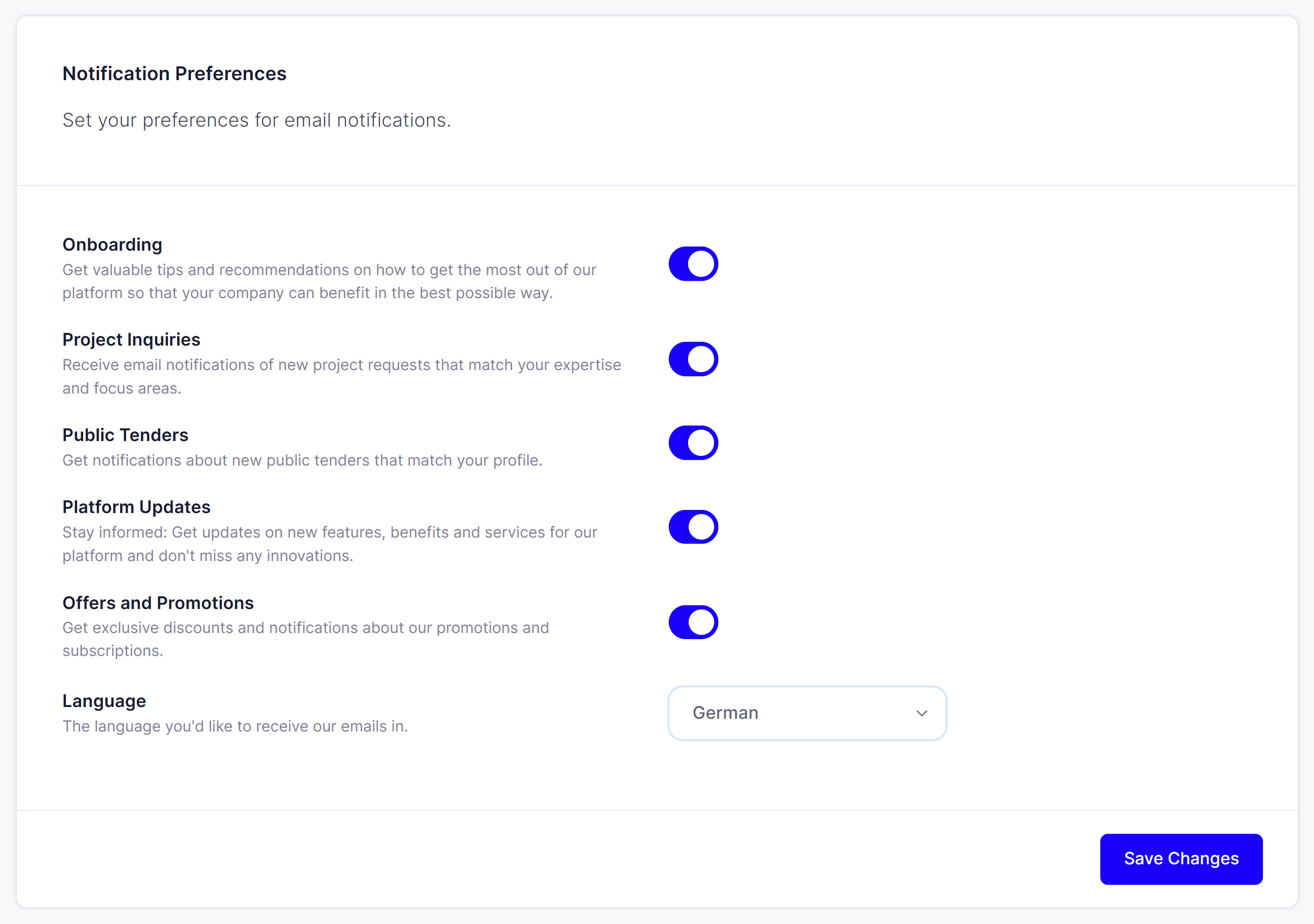
The five categories
Each category has its own switch. You turn them on and off individually, in any combination.
Onboarding. Tips and recommendations for getting the most out of the platform. These emails walk you through the first steps: complete your profile, connect your reviews, embed the widgets. If you are new, leave them on.
Project Inquiries. Notifications about new project requests that match the services saved in your profile. This is the most important category if you want to win work through Feedbax.
Public Tenders. Notifications about new public tenders that match your profile.
Platform Updates. New features, benefits and services on the platform.
Offers and Promotions. Discounts and campaigns for our subscriptions.
Below that sits the Language field with the note "The language you'd like to receive our emails in." You can choose German or English.
Finally, click "Save changes". Without that click nothing is applied.
Why you should leave "Project Inquiries" on
Project requests on Feedbax have an application deadline. It is shown on the request and it runs out whether or not you have seen the request. Once it has passed, you can no longer apply.
If you turn this category off, you only see new requests when you go into the dashboard yourself and look under Leads > Inquiries Overview. In practice that means missing requests.
If you get too many requests that do not fit, the better lever is not the switch but your profile: under Company Profile > Expertise you define which services you offer and with what share. The matching runs on exactly those entries. Fewer and sharper services mean fewer, but better matching requests.
What this page does not control
This page governs notification and marketing emails from Feedbax to you. It does not govern:
Which address your leads go to. That is the address under Company Profile > Contact for Leads in the Email field. See How do I get notified of new project inquiries?
What you log in with. Your login address sits under Administration in the field "Admin: email address".
Invoices and subscription emails. These emails are contractual and cannot be unsubscribed from.
The language of your profile. The language choice here only applies to the emails you receive. Your public company profile is not affected.
The language choice in detail
There are only two options here: German and English. The dashboard and your public profile exist in more languages, but the automatic emails only in these two.
If the field says "Please select", nothing has been set yet and the default applies. Set the value yourself, then you know what arrives.
Frequently asked questions
I turned every switch off. Do I now get no emails at all?
You get no more notification and marketing emails. Emails that belong to your contract still arrive: invoices, renewal notices and messages that require an action from you.
I get no emails about new project requests. Why?
Check three things, in this order:
Is the Project Inquiries switch on this page turned on?
Is a valid Email saved under Company Profile > Contact for Leads?
Are any services assigned at all under Company Profile > Expertise? Without services there is no matching and therefore no requests.
If the emails still do not arrive, check your spam folder and ask your IT team to allow feedbax.de.
Can several people at our company receive the emails?
Notifications go to the addresses saved in your profile. With a Premium or Enterprise subscription you can add further admins under Administration. For leads you set the receiving address under Contact for Leads. A shared mailbox such as [email protected] is often the best solution.
Does the setting apply to our company or only to me?
To your company profile. There is one setting per profile, not per person.