

Google stars put your Feedbax rating into the Google search results, right next to your website entry. Anyone searching for you sees the stars before they even click.
You will find the page in the dashboard under Marketing > Google Stars.
This feature is marked as beta. It works, but Google decides for itself whether the stars appear. More on that below.
What the script does
The script fetches the current rating from your Feedbax profile and writes it into your page in schema.org format as a rich snippet. That lets the Google crawler read three things: your average rating, the stars and the number of your reviews.
Two technical points that come up often:
The widget is embedded directly into your page's HTML, not as an iFrame. That is exactly what raises the chance of Google picking the stars up.
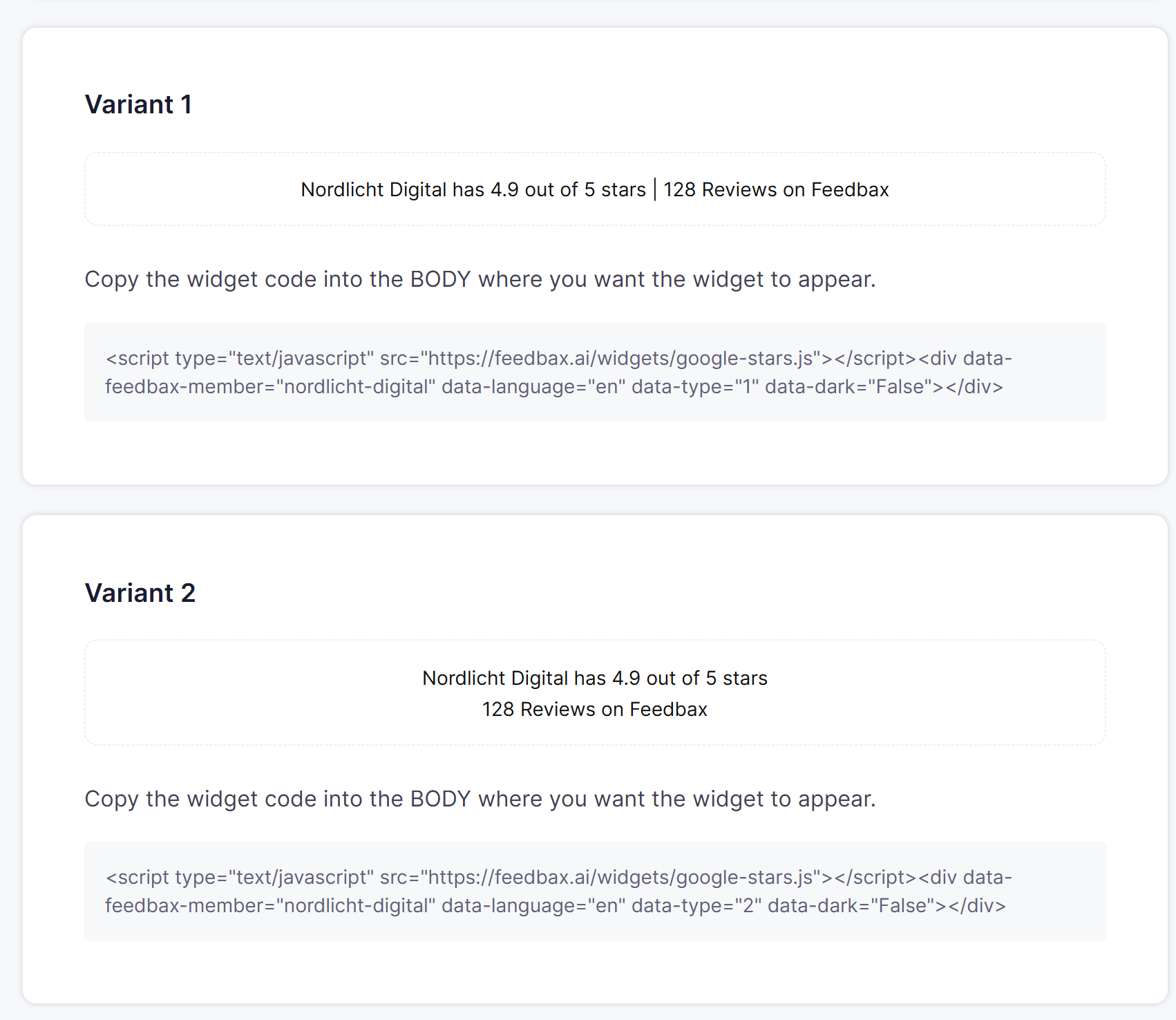
It is visible too: a short line appears on your page, for example "... has 4.9 out of 5 stars | 128 reviews on Feedbax".
How to embed it
Open Marketing > Google Stars.
Pick one of the five variants. They differ in how the line is laid out, for example one line with a separator or two lines.
Click the grey code box below the variant, then Ctrl+C.
Paste the code into the body of the pages you want stars for.
Save and publish.
On which pages? On every page you want stars for in the search results. In practice that usually means everywhere. So put the script in a place that is the same on every page. The footer is a good choice, because it is usually included through one central template.
Above the previews there is a switch for a dark background. It only changes the preview and the generated code, so you can check how it looks on dark pages.
Two prerequisites that usually cause the trouble
Your profile has to be published and have reviews. Without reviews there is no rating for the script to output. How your profile gets approved is explained in What your profile needs for approval.
The link to your Feedbax profile must not carry rel="nofollow". If it does, Google ignores the link and does not show the stars. This is the most common silent mistake. Check it in your page source before you start waiting.
How to check the result
Open Google's rich results test at
https://search.google.com/test/rich-results.Enter the address of your page.
If everything is embedded correctly, a review snippet appears in the structured data section.
A passing test means the technical side is right. Whether and when Google actually shows the stars is a second question.
How long it takes
That depends on how often Google visits your website. Usually it is a few days.
You can speed it up with the Google Search Console: enter the address of the subpage into the search field at the top, confirm and choose "Request indexing". That asks Google to look at exactly that page again.
The Search Console also shows you the state: in the left menu under "Enhancements" there is a "Review snippets" section. Errors, warnings and valid pages are listed there.
The dashboard names 2 to 4 weeks as the expected time. If nothing happens after that, let the Feedbax team know, that is explicitly welcome during the beta.
Why there is no guarantee
Google alone decides on the display, Feedbax has no influence on it. Two points from practice:
Google prefers rich snippets on subpages whose topic matches the reviews over the home page. A service or references page is therefore a better starting point than the homepage.
If you want the stars on the home page anyway, expect that Google often only shows them there once the subpages already have stars. There is no guarantee for the home page.
Adjusting the look
You can style the element through the CSS class feedbax-google-stars, so font size and colour can match your design. The content itself stays unchanged, otherwise the snippet would no longer match the data.
How this connects to the Feedbax score
Google stars do not change your Feedbax score. They work upstream: they raise the click rate on your search entry, and more visitors mean more enquiries and more reviews. Reviews are the single strongest factor in the score, see What is the Feedbax score?.
One thing not to confuse: the 100 score points come from the review widgets, not from the Google stars. If you embed both, you get both effects. See Embedding review widgets.
What you need
No subscription. You need a published profile with reviews and access to your website's source code.
Frequently asked questions
On which pages do I embed the script?
On all the ones you want stars for. The footer is the easiest route, because it usually uses the same template on every page.
How do I check that it is embedded correctly?
With Google's rich results test. If it finds a review snippet, the technical side is right.
How long until the stars appear?
Usually a few days, the dashboard names 2 to 4 weeks as the expectation. You can trigger re-indexing through the Search Console.
Are the stars guaranteed to show?
No. Google decides. Subpages with a matching topic have better chances than the home page.
Why is nothing happening at all?
Check three things: is the profile published and does it have reviews? Does the link to your Feedbax profile accidentally carry rel="nofollow"? Does the rich results test find the snippet?
Is the widget embedded as an iFrame?
No, it goes directly into the HTML. That raises the likelihood of Google showing the stars.
Can I change font size and colour?
Yes, through the CSS class feedbax-google-stars.
Do the Google stars earn me score points?
No. The 100 points are for an embedded review widget. The Google stars bring clicks.