

Have you already collected ratings on Google, Clutch or Trustpilot? Then you do not have to start from zero on Feedbax. Feedbax fetches those reviews and shows them on your profile.
Nine sources are available: Google, Trustpilot, ProvenExpert, TrustedShops, Sortlist, Clutch, DesignRush, GoodFirms and G2. Each has its own page in the dashboard under Reviews.
Every source works the same way
Whichever source you pick, the process is always the same:
Open Reviews in the dashboard and go to that source's page.
Enter your identifier into the field. For most sources that is the address of your profile page there, for Google it is the Place ID.
Save. Feedbax fetches the reviews.
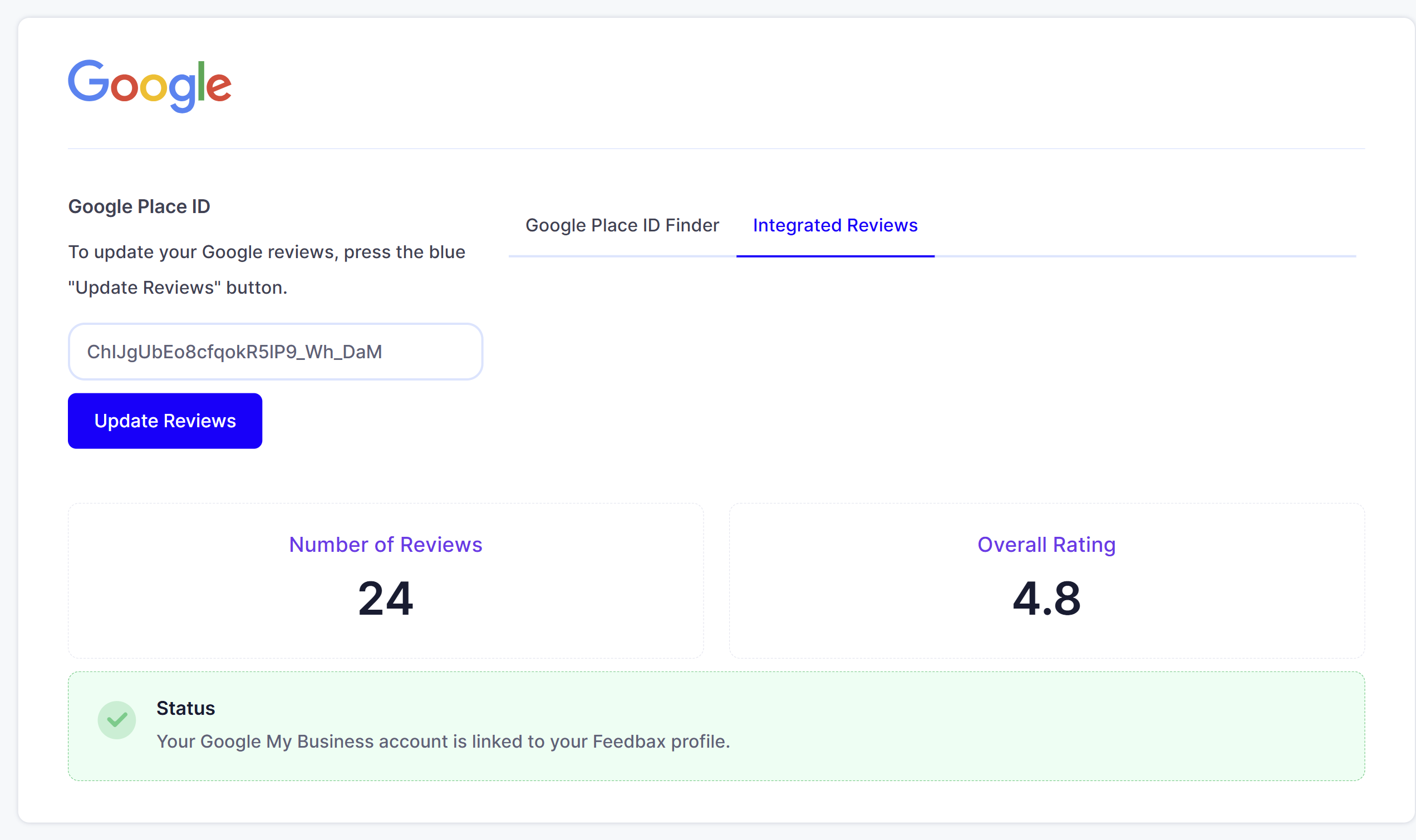
Below the field you then see three things: number of reviews, overall rating and the status. If the status says connected, the entry was correct.
Below that a slider runs through the reviews just fetched, so you can see straight away what was taken over.
Once a source is connected, the field changes: instead of an input box it shows your identifier, with the "Update Reviews" button next to it.
Which source needs which plan
This is the difference that costs the most when it is overlooked:
Without a subscription: only Google.
From Business on: additionally Trustpilot, ProvenExpert and TrustedShops.
From Premium on: additionally Clutch, DesignRush, GoodFirms, G2 and Sortlist.
Without the matching plan the source's page is visible but locked. So you can see what you are missing.
What this does to your Feedbax score
This is where the real lever sits, and it is often underestimated. For the reputation score, not all reviews count equally:
Without a subscription only Google reviews feed into your score.
From Business on, Trustpilot and ProvenExpert join in.
From Premium on, all connected sources count, including Clutch, DesignRush, GoodFirms, G2, Sortlist and TrustedShops.
So a Premium plan does not just unlock four more pages, it also lets the reviews fetched there actually affect your position in the directories. Anyone with 40 Clutch reviews who does not book Premium leaves them unused for the ranking.
Your own Feedbax reviews count eight times
Even so, imported reviews do not replace your own. In the score a Feedbax review is weighted eight times as strongly as an imported one. Ten of your own reviews therefore weigh as much as eighty imported ones.
Age comes on top: every review loses weight over time. A review from the current year counts twice as much as one that is twelve months old. So importing once and then leaving it is not enough.
And one more point: if your profile has no reviews at all, neither your own nor imported ones, 50 points are deducted. Connecting your first source therefore pays off twice.
How often it refreshes
Feedbax refetches the reviews automatically, and how often depends on your plan:
Starter: every 8 weeks
Business: every 4 weeks
Premium: every 2 weeks
Enterprise: weekly
You can update at any time yourself: the "Update Reviews" button retrieves the current state immediately. That is also how you get rid of reviews you had removed at the portal: after the update they are gone at Feedbax too.
Loading in steps of ten
Four sources handle large numbers of reviews differently: Clutch, DesignRush, GoodFirms and G2. There Feedbax does not fetch everything at once but in steps. Below the field you therefore see how many of how many are already integrated, for example "20 of 89".
As long as some are missing, a button to load more appears. Click it until both numbers match. With a large number of reviews that takes several clicks, and they are worthwhile: every further review contributes to your score.
What order to work in
Google first. It costs nothing, always counts for the score and is usually the source with the most reviews.
Then the sources your plan unlocks. Every connected source raises the number on the review widget on your website.
Then collect your own Feedbax reviews. They weigh eight times as much.
How to show the fetched reviews on your own website is in Embedding review widgets on your website. What else the score rates is in How does ranking in the directories work?.
Frequently asked questions
How many sources can I connect?
All the ones your plan unlocks. They do not exclude each other, the reviews are added up.
What happens if I downgrade my plan?
The connections stay in place, but reviews from the higher tiers no longer count towards the score.
Why can I not find my reviews after saving?
Usually the identifier is wrong. Check that you really entered the identifier from your profile address at the portal and not the company name.
Can I hide individual reviews?
Reviews that were deleted at the portal disappear from Feedbax too after a click on "Update Reviews".
Why does Clutch say "20 of 89"?
Because that source loads in steps of ten. Click the load more button until both numbers match.
Do imported reviews replace my own?
No. One of your own Feedbax reviews weighs eight times as much in the score as an imported one.